

Let's Discuss
Your Next Project
Get expert web solutions tailored to your business goals.
Call Us Now
+94 77-844 7474
+94 77-844 7474
A lightweight AI-powered chatbot that understands your website content and helps visitors find answers in real time.
Give your website an intelligent AI assistant that understands your content and helps visitors find answers in real time.
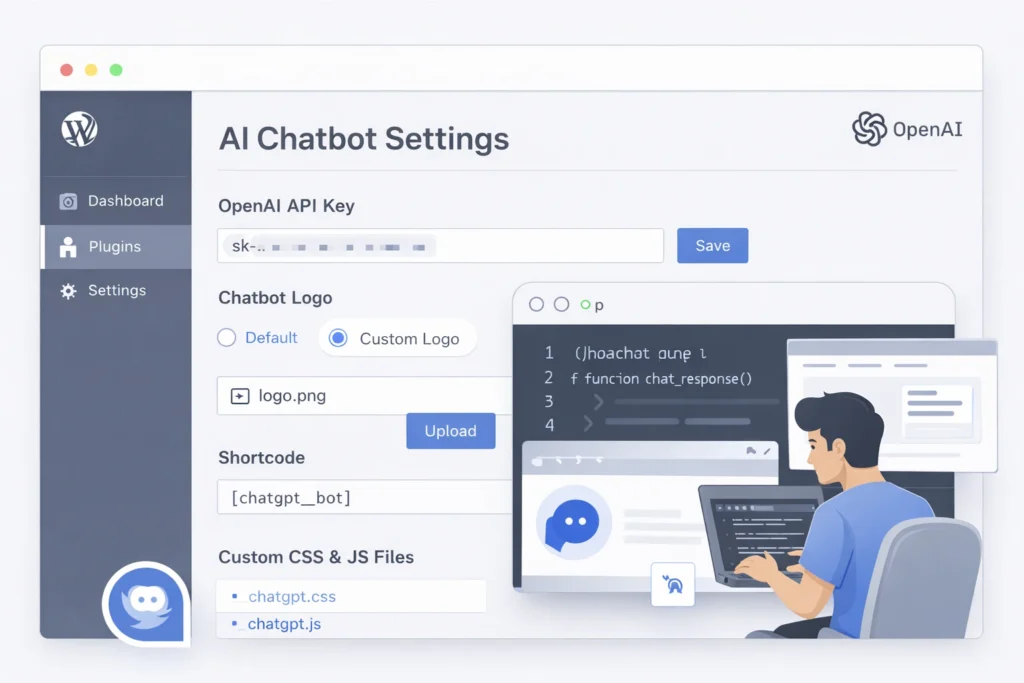
Our AI Chatbot for WordPress uses OpenAI’s ChatGPT to deliver fast, relevant, and human-like responses — automatically.
Respond to visitors instantly, even outside business hours
Reduce repetitive customer support questions
Improve user experience and engagement
Keep visitors longer on your website
Convert more visitors into leads or customers

The chatbot scans visible content on your pages and posts to provide accurate, context-aware answers.
Visitors can ask natural questions and receive immediate, AI-powered responses.
Built with clean JavaScript and CSS, ensuring minimal impact on site performance.
The floating chat bubble appears automatically on all pages.
The chatbot automatically reads your page and post content to deliver accurate, context-aware answers that match what visitors are viewing — without any manual training.

Upload the plugin and activate it from your WordPress dashboard.

Enter your API key in the plugin settings panel.

Your AI chatbot instantly starts answering visitor questions using your website content.
The Ideal Web Design AI Chatbot is a lightweight WordPress plugin that adds an AI-powered chatbot to your website. It uses OpenAI’s ChatGPT API to answer visitor questions based on your website’s page and post content.
No. The plugin is designed to be beginner-friendly. You only need to install it, add your OpenAI API key, and activate it. Developers can optionally customize styling and behavior using CSS and JavaScript.
The chatbot automatically reads the visible content of your pages and posts. It uses that content as context when generating responses, making answers relevant to the page the visitor is viewing.
Yes. The plugin is theme-independent and works with all modern WordPress themes. It uses clean, isolated CSS and JavaScript to avoid conflicts.
By default, the chatbot appears as a floating chat bubble in the bottom-left corner of every page. You can also embed it manually using the shortcode: [chatgpt_bot]
The plugin uses GPT-3.5 Turbo from OpenAI for fast and reliable responses. Future versions may support additional models.
Yes. You must have a valid OpenAI API key to use the chatbot. The key is securely stored in your WordPress admin settings and used only for chatbot responses.
No. The plugin is built to be lightweight and performance-friendly. Scripts are optimized and only load what is necessary for the chatbot to function.
Yes. You can:
Yes. The WP AI Chat Bot by Ideal Web Design can be used on client websites and customized to fit each client’s needs.